
Subscription, limits and features
Your subscription determines which features and quantities are available to you in clasify Business. These include, for example, inventory articles, active ads, autoresponder, Shopify features, the Shopify description builder and scheduled jobs.
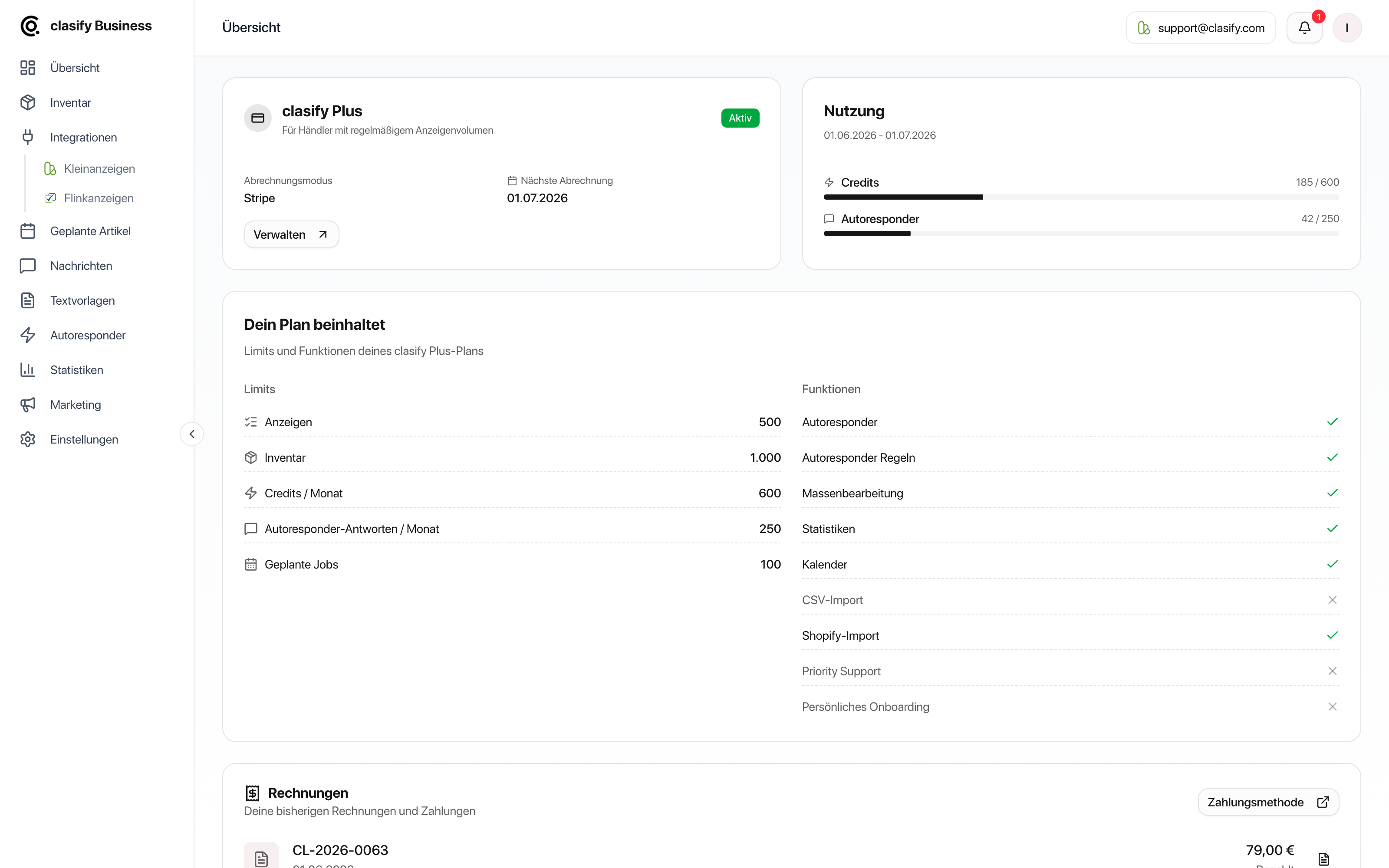
Open the subscription overview
Section titled “Open the subscription overview”If your subscription is managed through Stripe, you will also find the Verwalten (Manage) button there. It opens subscription management.
What limits mean
Section titled “What limits mean”Limits define how much your plan includes. They can differ by plan. In the Dein Plan beinhaltet (Your plan includes) card, clasify shows them individually:
- Anzeigen (Ads): how many ads may be active at the same time.
- Inventar (Inventory): how many inventory articles you can create.
- Team-Mitglieder (Team members)
- Autoresponder-Antworten / Monat (Autoresponder replies / month)
- Geplante Jobs (Scheduled jobs): the number of publications scheduled at the same time.
There are also limits that are not shown in this card but that you will notice in everyday use:
- Images per article: How many images an inventory article may contain. On the Pro plan it is 20 images, on the Premium plan 40. For AI creation, a maximum of 10 images per run is possible regardless of this; you add further images afterwards in the article.
- Autoresponder rules: How many advanced rules you can create.
A dash or Unbegrenzt (Unlimited) means there is no upper limit for that item.
Which features your plan includes
Section titled “Which features your plan includes”Besides the limits, the same card shows which features are unlocked:
- Autoresponder and autoresponder rules
- Bulk editing
- Statistics
- Calendar
- Feed import and feed auto-sync
- Shop import and shop auto-sync
- Team features
- Priority support
- Personal onboarding
Features that are not included are marked with a cross.
Manage your subscription
Section titled “Manage your subscription”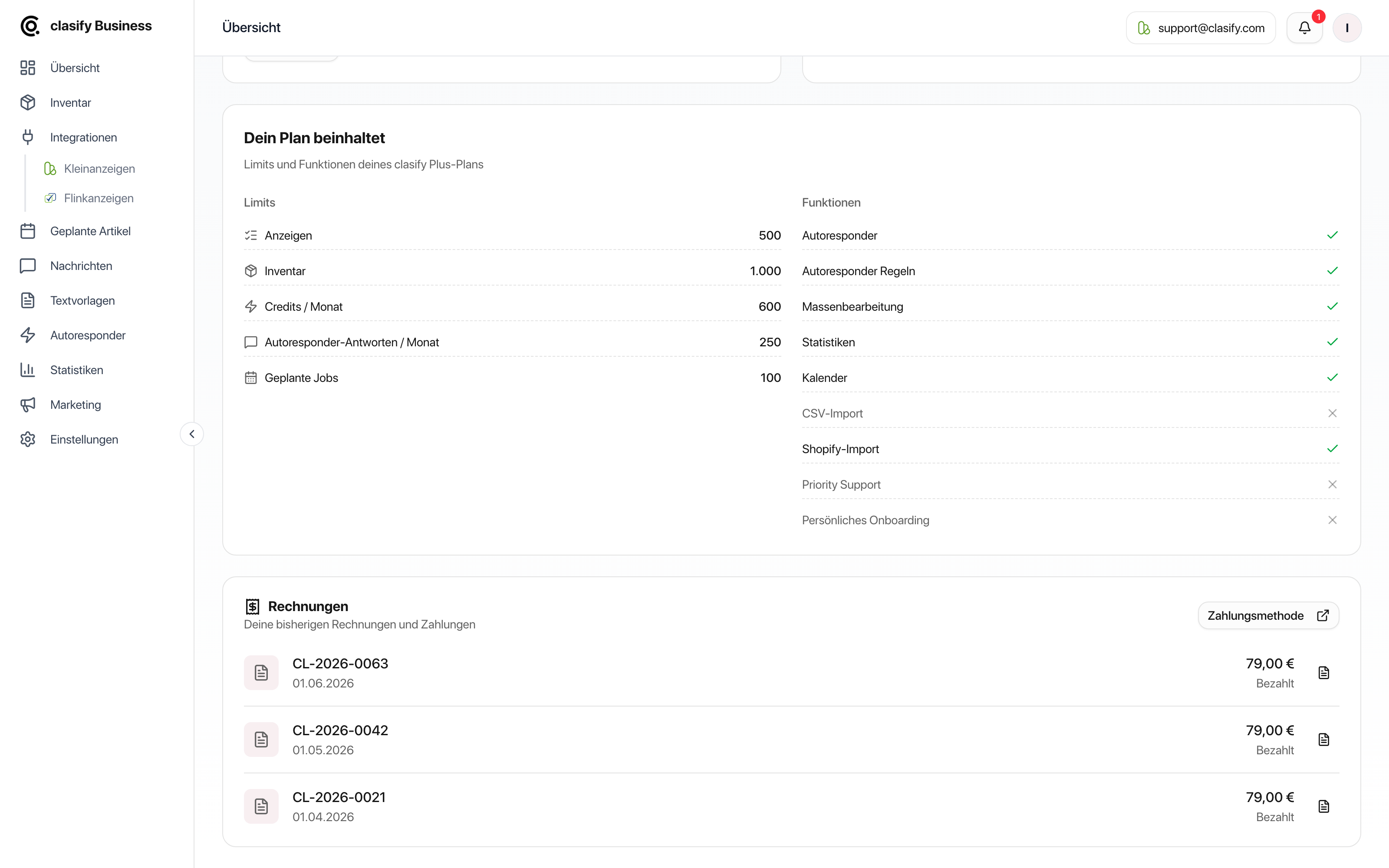
With Verwalten (Manage) or Zahlungsmethode (Payment method) you open payment management. Depending on your billing type, you can:
- check or change your payment method,
- open invoices,
- check your billing details,
- manage your subscription.
If your subscription is not managed through Stripe but in another way, clasify Business shows a matching notice. If you have questions, you can reach us at [email protected] or on the support page.
Billing through Shopify
Section titled “Billing through Shopify”If your subscription is billed through Shopify, clasify points this out in the subscription overview. In this case:
- You make changes to the subscription in your Shopify admin, not in clasify.
- Invoices and payment method are also in Shopify, which is why clasify hides these areas.
Monthly or yearly
Section titled “Monthly or yearly”Plans can be billed monthly or yearly. With yearly billing, monthly limits such as autoresponder replies still apply per month: they are not available to you as an annual volume all at once, but are made available again month by month.
Find invoices
Section titled “Find invoices”In the Rechnungen (Invoices) section you see your past invoices. If a PDF file is available, you can open or download it directly.
If you cannot find an invoice, first check:
- whether the payment has already been completed,
- whether you are signed in to the right clasify Business account,
- whether your subscription is billed through Stripe, Shopify or another route.
How to recognize an unavailable feature
Section titled “How to recognize an unavailable feature”You can usually recognize unavailable features by:
- grayed-out buttons,
- a notice directly in the area,
- an upgrade or limit notice,
- missing options in menus,
- a message when saving, scheduling or publishing.
What you can do when a limit is reached
Section titled “What you can do when a limit is reached”Depending on the situation, there are several options:
- Delete inventory articles you no longer need.
- Pause or end active ads that are no longer needed.
- Reduce scheduled publications.
- Check whether Shopify products really need to be imported.
- Switch to a suitable plan if you permanently need more capacity.
Features that often depend on the plan
Section titled “Features that often depend on the plan”These areas can be restricted depending on the plan:
- AI creation of articles
- Bulk editing in the inventory
- Calendar, automatic distribution and recurring publications
- Advanced autoresponder rules
- Reply delay in the autoresponder
- Detailed statistics
- Feed import and feed auto-sync
- Shopify import and Shopify auto-sync
- Shopify description builder from Pro
- Multiple platform accounts
If you cannot find a feature in the app, it is often because it is not included in your current plan or is not yet available for your account.