
Answering messages
The messages view collects customer enquiries from your connected Kleinanzeigen account. On the left you see the conversations, and on the right the history for the selected ad.
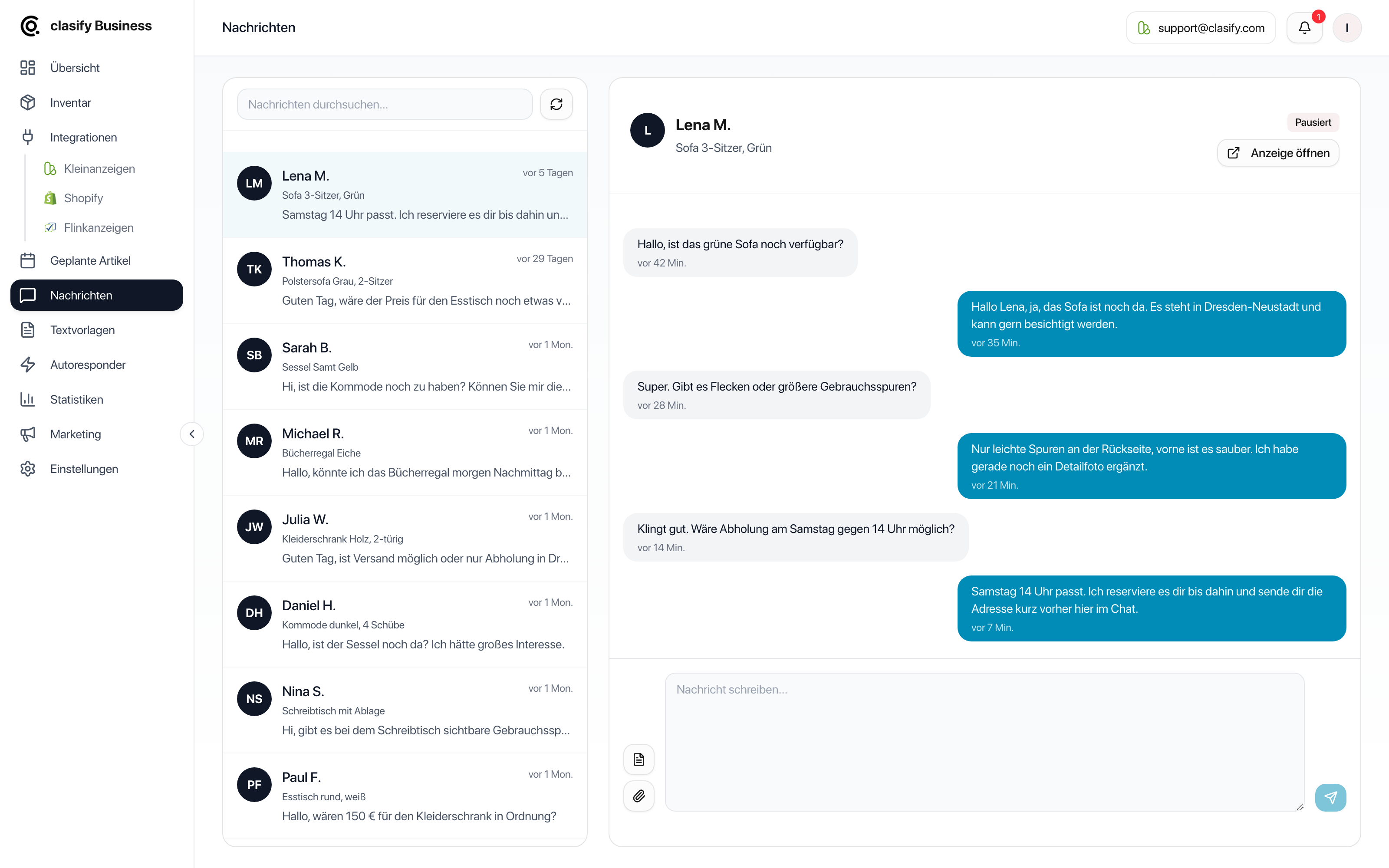
Answer an enquiry
Section titled “Answer an enquiry”-
Open Nachrichten (Messages).
-
Select a conversation on the left.
-
In the header, check which ad the enquiry belongs to.
-
Read the conversation so far.
-
Write your reply in the reply field.
-
If needed, add a text template or an image.
-
Send the message.
Use text templates
Section titled “Use text templates”In the reply field you will find a templates button. With it you can insert frequently used replies, for example:
- Pickup possible.
- Shipping for an extra charge.
- Item is still available.
- Dimensions or condition.
- Viewing appointment.
You can find more under Create and use text templates.
Attach images
Section titled “Attach images”If attachments are available for the conversation, you can send up to three images. clasify prepares the images before sending. Use attachments for detail photos, dimensions or signs of wear, for example.
Check the ad in context
Section titled “Check the ad in context”With Anzeige öffnen (Open ad) you can view the related ad directly on Kleinanzeigen. This helps when you cannot answer a question from within the chat, or when you want to check which images and details the prospective buyer sees.
Typical use
Section titled “Typical use”- Confirm availability.
- Clarify pickup or shipping.
- Answer questions about condition, dimensions or accessories.
- Take up a price negotiation.
- Send additional images.
If messages do not load
Section titled “If messages do not load”First check whether a Kleinanzeigen account is connected and selected. If clasify has no connection to the account, messages cannot be retrieved or sent.