
Create articles with AI
AI creation lets you have a new inventory article prepared from images and a few short hints. It saves time, but it does not replace a final check.
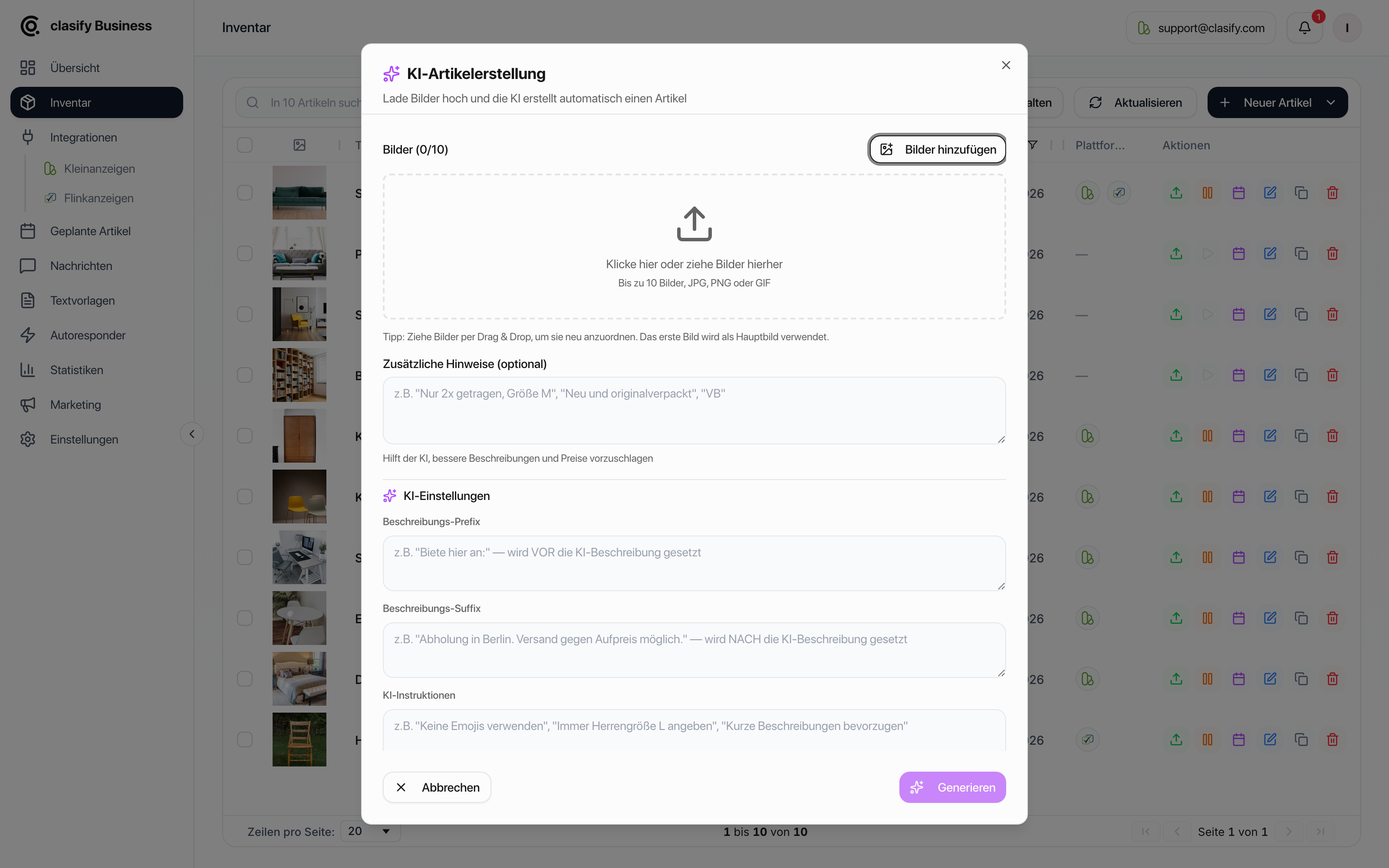
Create an article with AI
Section titled “Create an article with AI”Open Inventar (Inventory).
Click Neuer Artikel (New article).
Choose Per KI erstellen (Create with AI).
The generated article then opens in the editing window. Review it there before you save or publish it.
Good hints for the AI
Section titled “Good hints for the AI”Short, specific details work best, for example:
- Brand, model or exact name
- Condition, age or known defects
- Size, material or technical data
- What is included
- Whether shipping is possible
- Whether you want a fixed price or a negotiable price
Vague hints often lead to vague descriptions. A few precise details are better than long, unstructured text.
What you should always check
Section titled “What you should always check”Before saving, pay particular attention to:
- Title
- Category
- Price and price type
- Description
- Condition and special features
- Image order
- Location
AI image sorting
Section titled “AI image sorting”When KI-Bildsortierung (AI image sorting) is on, clasify automatically picks the most telling image as the main image and puts the remaining images in a sensible order. This is worthwhile if you upload photos in the order they were taken.
Turn the sorting off if you set the order yourself on purpose, for example because an info or size image should sit in a fixed position.
Using AI settings
Section titled “Using AI settings”In your settings (Einstellungen), you can store defaults for AI-generated texts. For example, you can define how descriptions should begin or end and which wording the AI should prefer.
The creation window shows the same three fields again, and you can set them differently for that one article.
This is worthwhile if you want to create many articles in a similar style.
Limits of AI creation
Section titled “Limits of AI creation”The number of creations is limited: you can only start a few per minute. If you are creating a larger range of items, work in batches instead of starting everything at once.
If the creation does not start or a notice appears, check:
- whether you started several creations in a row shortly before,
- whether your plan includes AI creation,
- whether the uploaded images were fully processed.