
Create and use text templates
Text templates help you reuse common replies and standard phrases faster. You can use them for messages, shipping notes or description texts, for example.
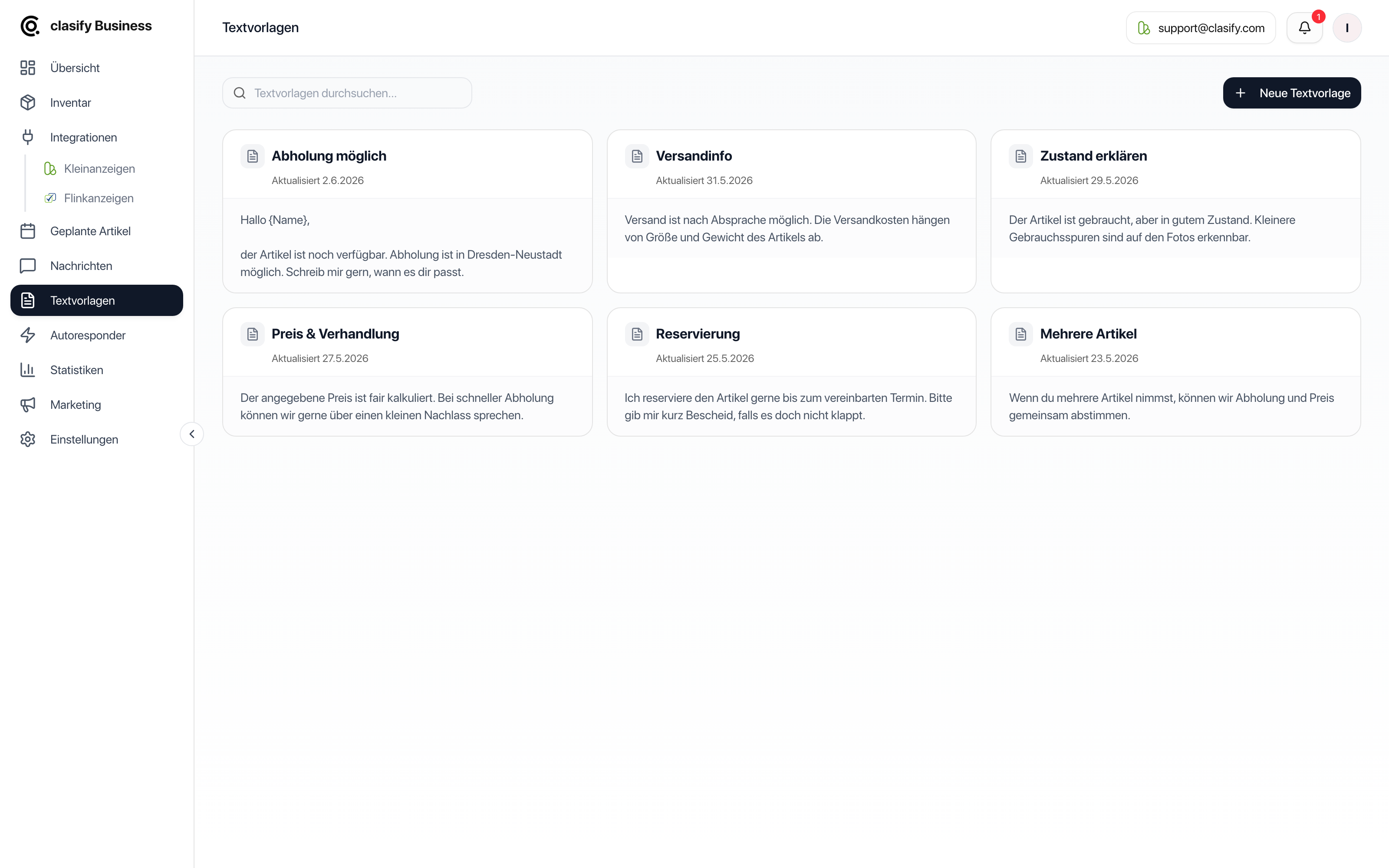
Create a template
Section titled “Create a template”Use names you can recognize quickly, for example “Pickup”, “Shipping possible” or “Final price”.
Use a template in messages
Section titled “Use a template in messages”In the messages area you can pick a suitable template and insert it into the reply field. You can then adjust the text before you send it.
This helps if you often answer similar questions, for example:
- Is the article still available?
- Can the article be shipped?
- When is pickup possible?
- Is there a discount if I buy several articles?
Use a template in article texts
Section titled “Use a template in article texts”You can also use templates for article descriptions. This works well for recurring notes such as shipping, pickup, condition or payment terms.
Maintain your templates
Section titled “Maintain your templates”Keep your templates up to date. Shipping costs, pickup times, legal notice details and warranty exclusions in particular should be checked regularly.
You can:
- edit templates,
- copy templates,
- delete templates,
- use them as a starting point for new variants.