
Connect Shopify
With the Shopify integration, you use your store as a product source. Products are brought from Shopify into the inventory and can then be published on platforms such as Kleinanzeigen or Flinkanzeigen.
Requirements
Section titled “Requirements”- Your Kleinanzeigen account has a PRO or real estate plan. Learn more in Connect your Kleinanzeigen account.
- Your plan includes Shopify import.
- You have access to the Shopify admin of the store.
- You know the store address, for example
meinshop.myshopify.com. - Redirects to the Shopify authorization must be allowed in your browser.
Connect Shopify
Section titled “Connect Shopify”-
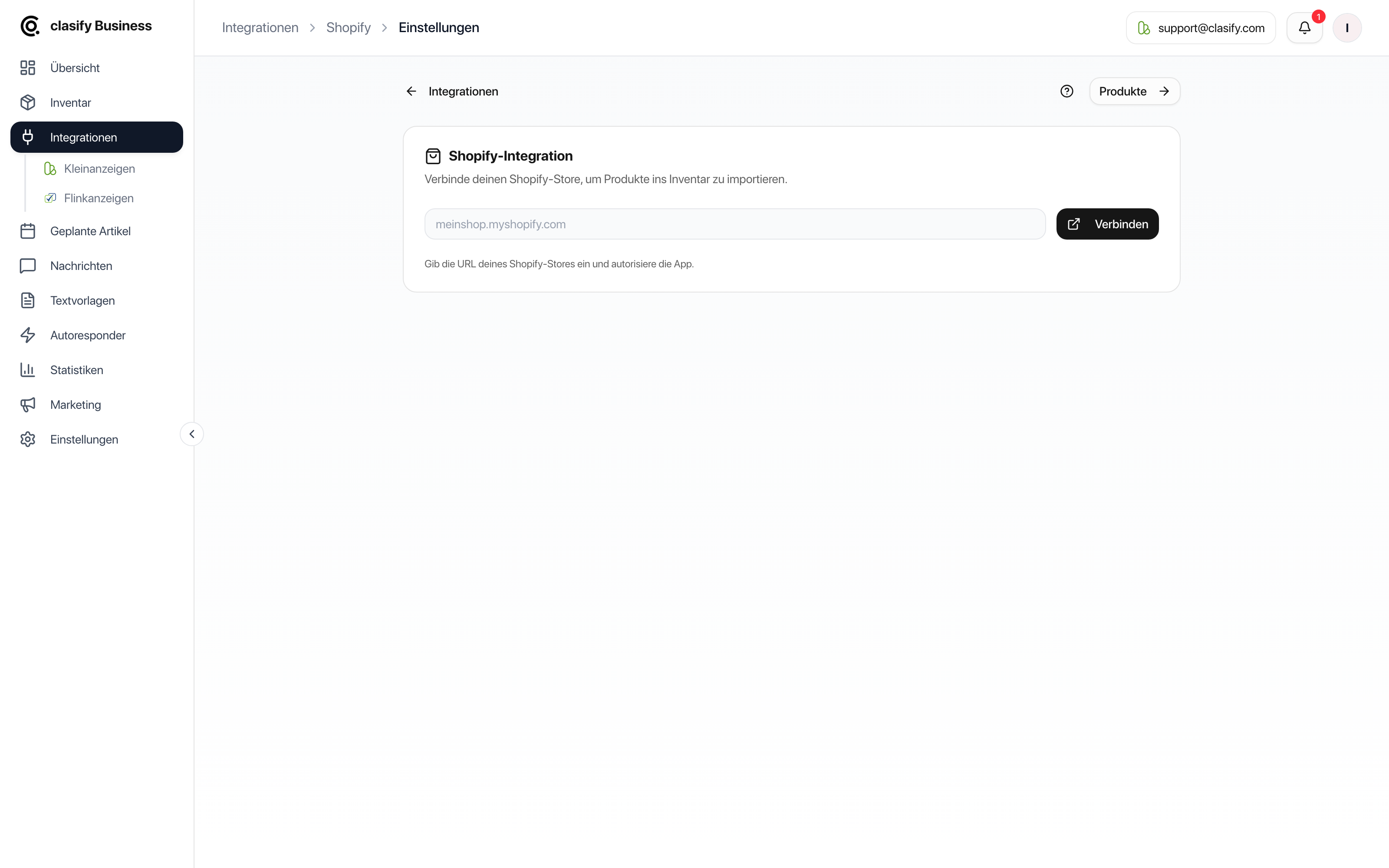
Open Integrationen (Integrations).
-
Choose Shopify.
-
Open Einstellungen (Settings) if you do not land directly on the connection screen.
-
Enter the store URL, for example
meinshop.myshopify.com. -
Click Verbinden (Connect).
-
Follow the Shopify authorization.
-
Return to clasify Business and check that Shopify is shown as connected.
After connecting
Section titled “After connecting”Once connected, you will find the following in Shopify:
- The product list of your store.
- Status, price, stock (total across all variants), tags, vendor and SKU.
- An indication of whether a product is already in the inventory.
- Actions for importing, publishing and syncing.
Disconnect
Section titled “Disconnect”You can disconnect in the Shopify settings. Articles that were already imported normally stay in the inventory. If the Gefahrenzone (Danger zone) is set to delete imported articles on disconnecting, clasify shows a warning with the number of affected articles before it disconnects.