
Set up the autoresponder
The autoresponder answers recurring enquiries automatically. You can start with a simple default reply and, if needed, use advanced rules for different types of messages.
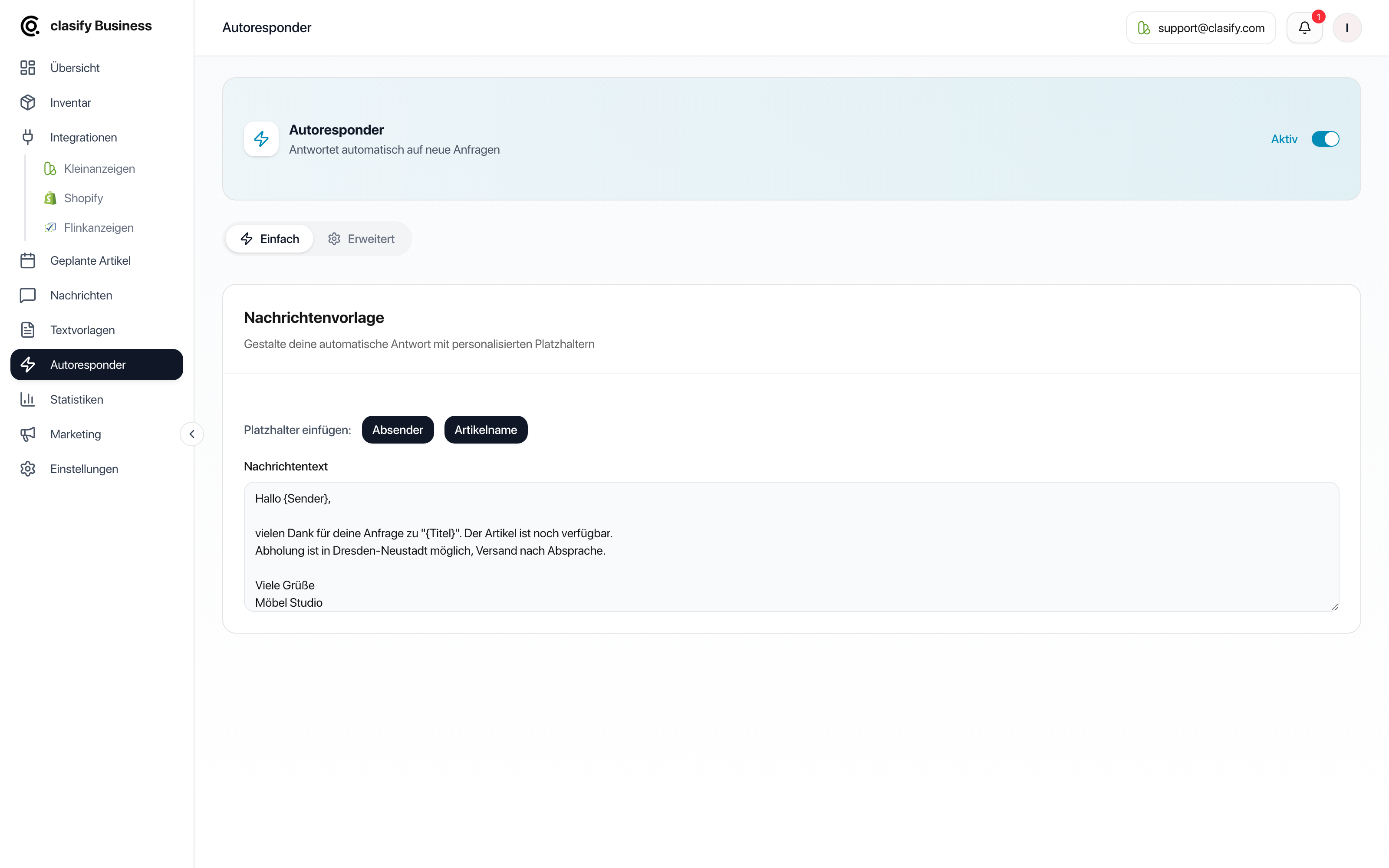
Set up the simple template
Section titled “Set up the simple template”-
Open Autoresponder.
-
Turn on the switch at the top right.
-
Select the Einfach (Simple) tab.
-
Write your default reply.
-
If needed, insert placeholders:
{Sender}for the name of the prospective buyer.{Titel}for the article title.
-
Wait a moment until the template has been saved automatically.
A simple template suits replies like this:
Hi {Sender}, thank you for your interest in "{Titel}".The item is still available. I will get back to you as soon as possible.Set a reply delay
Section titled “Set a reply delay”By default, clasify replies immediately. With the Antwortverzögerung (Reply delay) card you can delay the reply instead: immediately, 5, 10, 15, 30 or 60 minutes, or 2 hours.
This makes sense because a reply within seconds is clearly recognizable as automated to prospective buyers. A short delay makes the reply feel more personal and also gives you the chance to reply yourself first to an important enquiry.
Check usage and limits
Section titled “Check usage and limits”At the top you can see how many automatic replies have already been sent in your current period. When a limit is reached, no further automatic replies are sent until replies become available again or your plan is changed.
Besides the number of replies, your plan also limits the number of advanced rules. You can find both values under Subscription, limits and features.
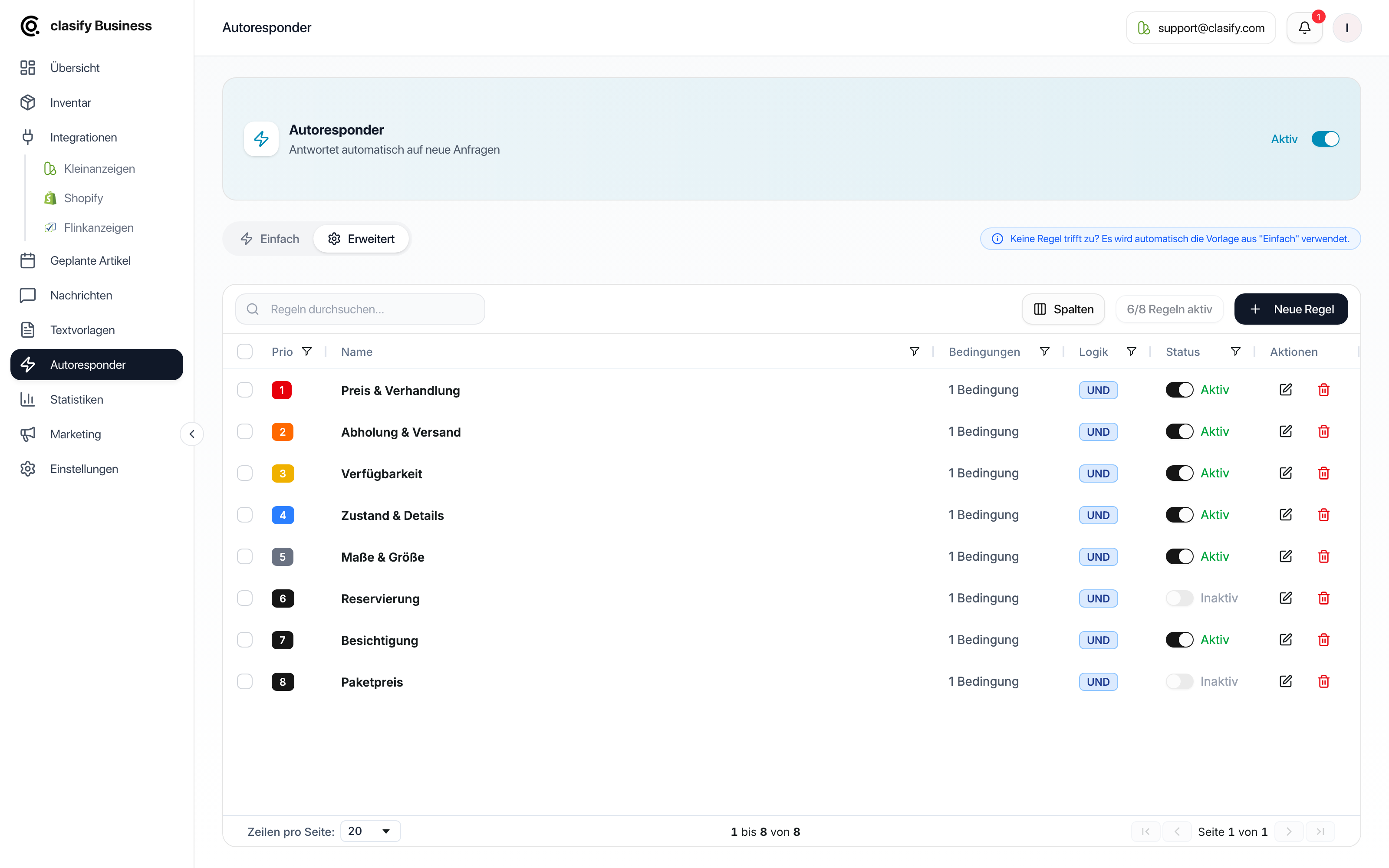
Use advanced rules
Section titled “Use advanced rules”Advanced rules make sense when not every enquiry should get the same reply. Examples:
- Question contains
Versand(shipping): reply with shipping costs and how it works. - Question contains
noch da(still there): reply about availability. - Ad title contains
Sofa: reply pointing to pickup and dimensions. - Question contains
letzter Preis(final price): reply about the room for negotiation.
The search texts are in German here because they need to match the German messages your buyers write.
A rule consists of:
- Name: So you can recognize the rule.
- Priorität (Priority): 1 is the most important, 5 the lowest.
- Bedingungen (Conditions): For each condition you choose the field to be checked, Nachrichtentext (Message text) or Anzeigentitel (Ad title), and enter the search text.
- UND/ODER (AND/OR): All conditions must match, or at least one.
- Antwortnachricht (Reply message): The text that is sent automatically. Placeholders such as
{Sender}and{Titel}work here too. - Status: Active or inactive.
The difference between the two fields is the real lever: with the Anzeigentitel you answer questions by product group, for example all sofa ads with a note about dimensions and pickup. With the Nachrichtentext you react to the specific question, for example to Versand or noch da.
Write good rules
Section titled “Write good rules”- Use clear search terms such as
Versand,Abholung(pickup),noch da,Reservierung(reservation). - Keep replies friendly, but not too long.
- Avoid firm commitments if you cannot be sure to keep them.
- Give important rules a higher priority so they apply first.
- Test rules with typical phrasings from your customers.