
Switching from Kleinanzeigen-Enhanced
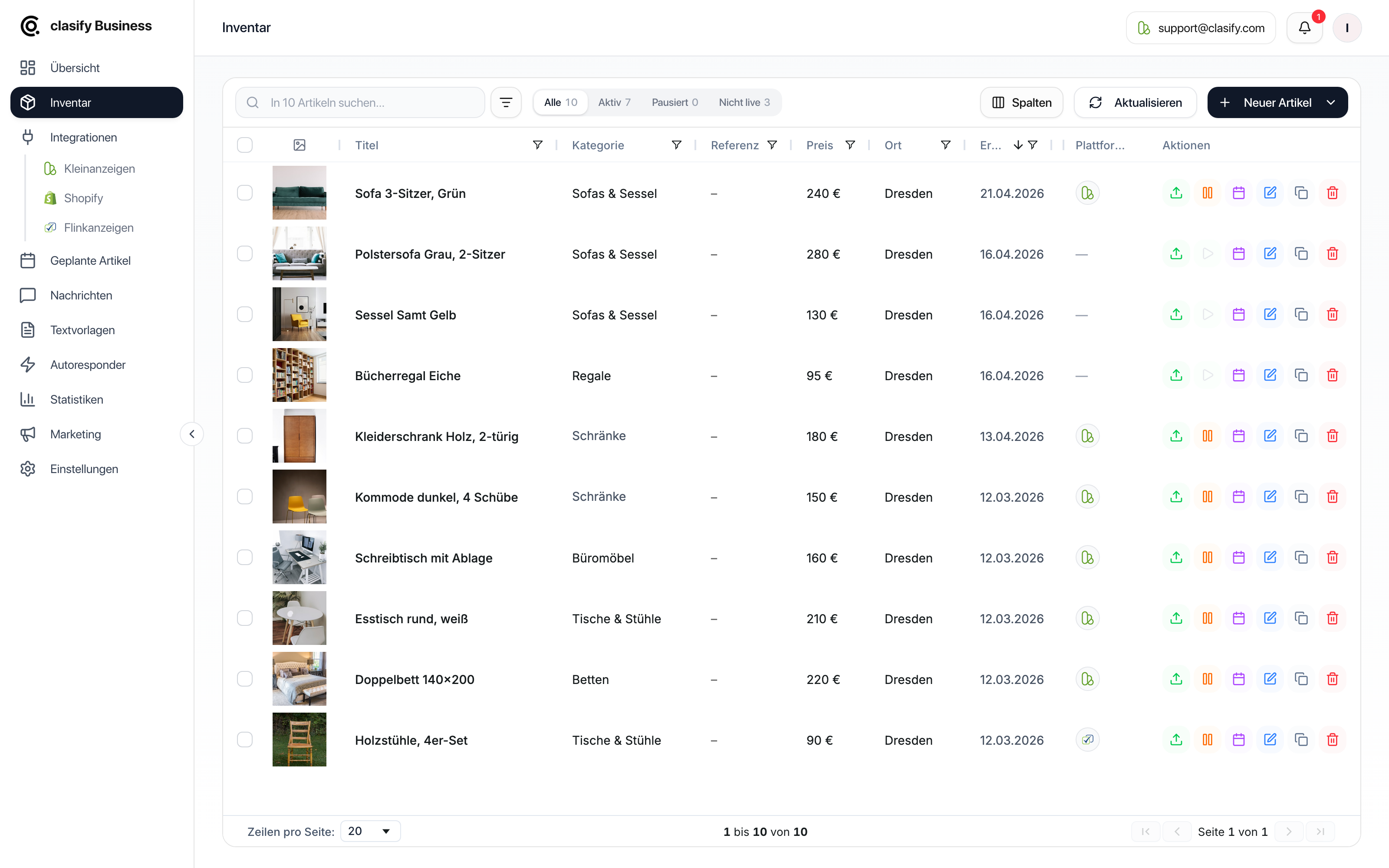
If you have worked with Kleinanzeigen-Enhanced so far, the most important difference is this: in clasify Business you no longer maintain changes directly on individual Kleinanzeigen ads. The central place is the Inventar (Inventory) or a connected product source such as Shopify.
The key difference
Section titled “The key difference”In Kleinanzeigen-Enhanced, many changes were made directly on existing Kleinanzeigen ads. In clasify Business, things are set up differently:
- The inventory article holds the article data you maintain.
- The ad on Kleinanzeigen or Flinkanzeigen is created from this article.
- You make changes to the article or the connected source first.
- clasify then transfers the change to the platform, as soon as the article is saved with live update or an active sync is set up for it.
Where you maintain changes
Section titled “Where you maintain changes”Without Shopify
Section titled “Without Shopify”If you have not connected a Shopify store, you maintain changes directly in the inventory article.
With Shopify
Section titled “With Shopify”If Shopify is connected and auto-sync is active, Shopify is in many cases the leading product source. In that case, you maintain product data in Shopify first. clasify then syncs it according to your sync settings.
This applies especially to data such as:
- Product title
- Price
- Description
- Images
- Stock or availability, if these fields are synced
Changing attributes and properties
Section titled “Changing attributes and properties”If you want to change a property, for example material, color, condition, dimensions or what is included, you maintain it in the article text.
Typical places are:
- Titel (Title), if the property is short and relevant to the sale.
- Beschreibung (Description), if the property needs explaining or includes several details.
Examples:
Dining table woodbecomesDining table solid oak.- In the description, you add
Dimensions: 180 x 90 cm. good conditionbecomesvery good condition, only slight signs of use.
clasify then uses this information for the ad. You no longer need to enter the same change separately in each platform view.
Bulk editing in clasify Business
Section titled “Bulk editing in clasify Business”In clasify Business, bulk editing works through the inventory. You select several articles and edit them together or run a shared platform action.
Typical actions are:
- edit several articles,
- publish several articles,
- pause or activate several ads,
- remove several ads,
- schedule several articles,
- sync several articles.
The difference from Kleinanzeigen-Enhanced: you do not work directly on a list of individual Kleinanzeigen ads, but on your central articles and their platform status.
Updating live ads
Section titled “Updating live ads”If an article is already published, it is not always enough to save the inventory article only locally. Save it with live update if the change should also become visible on Kleinanzeigen or Flinkanzeigen. clasify then transfers the changed data to the active ad.
More on this: Edit articles and update them live.
Recommended way of working
Section titled “Recommended way of working”Typical examples
Section titled “Typical examples”| You want to … | Then do this in clasify Business |
|---|---|
| Change the price of an article | Change the price in the inventory article and update the live ad. With Shopify sync, change the price in Shopify. |
| Add a property | Adjust the title or description in the article. |
| Pause many ads | Select the articles in the inventory and use a bulk action. |
| Keep Shopify products up to date | Use Shopify sync or auto-sync. |
| Take over existing Kleinanzeigen ads | Save the ad to the inventory from the platform view. |
Direct help
Section titled “Direct help”If you are coming from the old workflow and are unsure, write to [email protected] or use the support page.