
Getting started
clasify Business brings inventory, platforms, messages, automation, scheduling and reporting together in one workspace. The goal: you prepare each article cleanly once and then use it selectively across multiple platforms.
Requirements
Section titled “Requirements”- An active clasify Business account.
- At least one connected Kleinanzeigen account (Kleinanzeigen.de is Germany’s largest classifieds marketplace), if you want to use Kleinanzeigen.de ads, messages, autoresponders, statistics or scheduled articles.
- Kleinanzeigen.de requires a Kleinanzeigen PRO account or a suitable PRO package for your Kleinanzeigen account. You can find more information at Kleinanzeigen PRO.
- A complete listing profile with display name, location and legal notice (Impressum).
- Optional: access to your Shopify admin, if you want to import products.
The main areas
Section titled “The main areas”-
Übersicht (Overview) shows you free listing slots, inventory count, upcoming publications, the status of your platforms and the latest messages. More on this: Understanding the overview.
-
Inventar (Inventory) is your central article list. This is where you create and edit articles and later publish them to platforms.
-
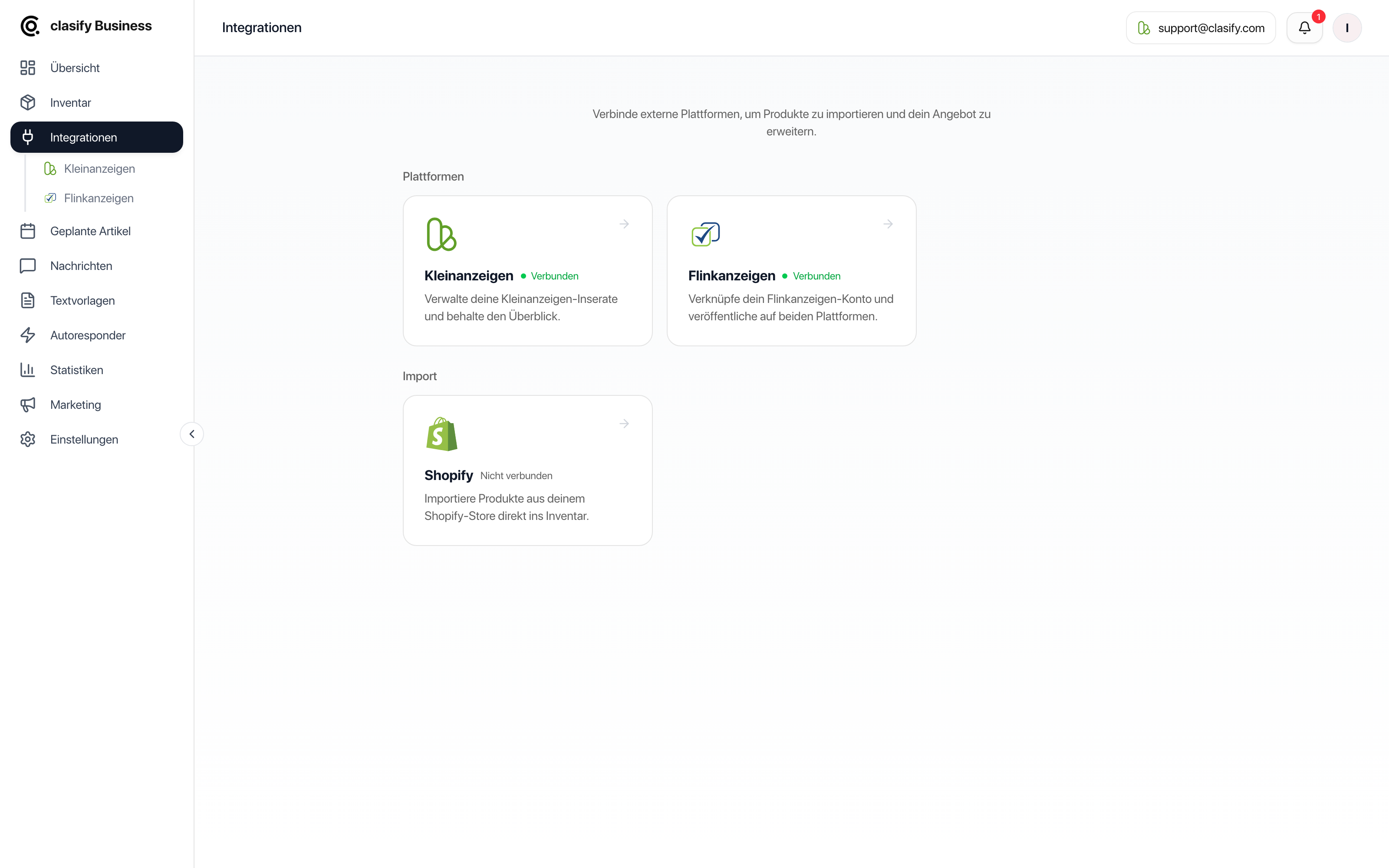
Integrationen (Integrations) connects Kleinanzeigen, Flinkanzeigen and Shopify, and contains the feed import for your own product and job sources.
-
Geplante Artikel (Scheduled articles) shows scheduled publications in a calendar and in a list.
-
Nachrichten (Messages) collects customer enquiries from your connected Kleinanzeigen.de account.
-
Textvorlagen (Text templates) stores recurring texts for messages and article descriptions.
-
Autoresponder answers recurring enquiries automatically.
-
Statistiken (Statistics) helps you interpret views, messages, favorites and trends for your Kleinanzeigen.de ads.
-
Einstellungen (Settings) contains your profile, shipping, AI defaults, platform limits and subscription.
Quick start
Section titled “Quick start”-
Open Integrationen (Integrations) and connect your Kleinanzeigen account.
-
Open Einstellungen (Settings) and check your display name, location, legal notice and shipping.
-
Open Inventar (Inventory) and create an article or import products from Shopify.
-
Check the title, description, price, images and location.
-
Publish the article using the platform action.
-
Check the status in Inventar or under Integrationen > Kleinanzeigen.
If something is not available
Section titled “If something is not available”Some areas need a connected Kleinanzeigen account or a suitable plan. If a menu item is greyed out or shows a lock, check these first:
- Is a Kleinanzeigen account connected and selected?
- Is your listing profile complete?
- Does your current plan include the feature?
You can find more under Subscription, limits and features.