
Connect your Kleinanzeigen account
For clasify Business to publish ads, retrieve messages and show statistics, at least one Kleinanzeigen account must be connected.
Before you connect
Section titled “Before you connect”First check these points:
- You have access to the Kleinanzeigen account you want to use.
- The account is active and ready to use at Kleinanzeigen.
- Kleinanzeigen.de requires a Kleinanzeigen PRO account or a suitable PRO package for your Kleinanzeigen account. You can find more information at Kleinanzeigen PRO.
- Your profile in clasify Business is as complete as possible, especially name, location and legal notice (Impressum).
Connect your account
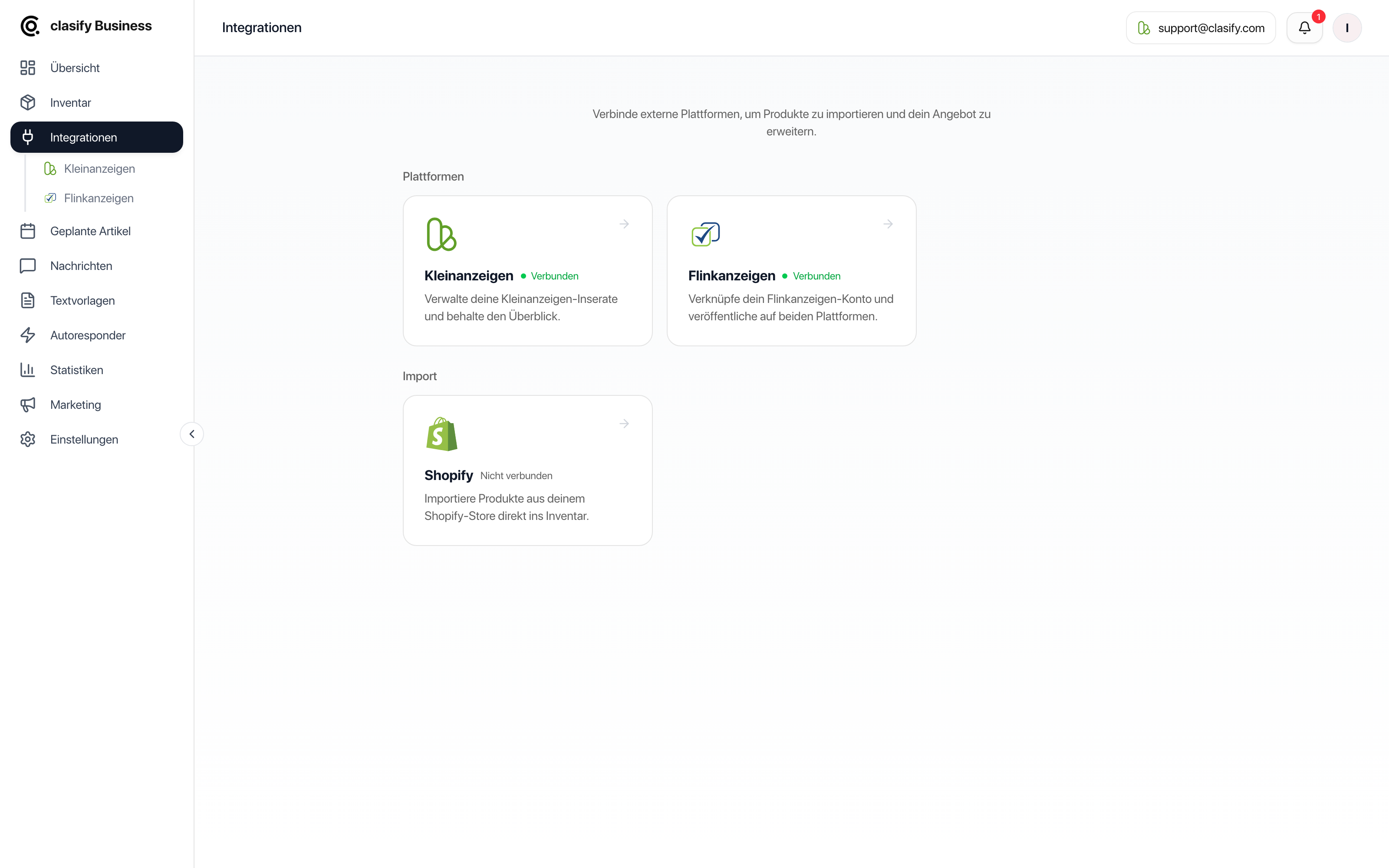
Section titled “Connect your account”After connecting, the account should appear in the overview. Select it if you work with several accounts.
How to tell an account is connected
Section titled “How to tell an account is connected”A connected account is ready to use when:
- it is shown in the integrations overview,
- its status is not set to disconnected or faulty,
- you can select the account in the top area of the app,
- the Inventar (Inventory), Anzeigen (Ads), Nachrichten (Messages) and Statistiken (Statistics) areas load normally.
Switching accounts
Section titled “Switching accounts”If you have connected several accounts, you can switch the active account in the app. Most areas then show only the data of the selected account, for example ads, messages, statistics and scheduled articles.
Disconnecting
Section titled “Disconnecting”You can disconnect a connected account again in the integrations. After that, clasify Business can no longer publish new ads for this account, retrieve messages or update statistics.
Inventory articles you have already created are kept in clasify Business.
If the connection does not work
Section titled “If the connection does not work”Check these points:
- Is the Kleinanzeigen account active and reachable?
- Did you sign in with the right account?
- Is the account already connected to another clasify Business login?
- Are required profile details such as location or legal notice incomplete?
- Is a notice or error shown in the integrations overview?
If the connection still does not work, disconnect it, reload the page and connect the account again.
If you are still stuck, write to [email protected] or use the support page.